Short answer
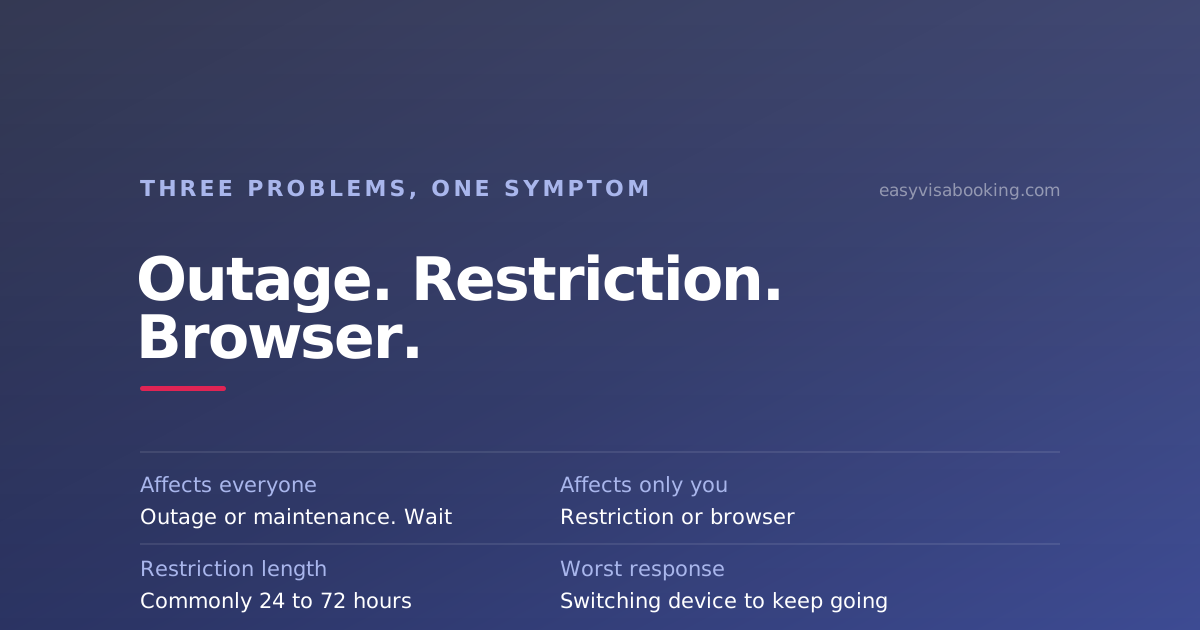
Three different problems produce the same symptom, and the first thing to establish is whether it is happening to everybody or only to you. A genuine outage or maintenance window affects everyone and is fixed by waiting. A temporary restriction on your own account affects only you, commonly lasts around 24 to 72 hours, and is made worse by switching browser or network to keep going. An ordinary session problem also affects only you and clears on a fresh sign-in.
Two minute triage
- Do the public pages load?
- If yes, it is almost certainly not an outage
- Does it fail only after you sign in?
- Points at a restriction or a session problem, not the platform
- Did it work and then stop?
- The signature of a temporary restriction from too many requests
- Site fine, calendar empty?
- Not a fault. That is a supply problem and nothing is broken
Work out which of the three you have
Four checks, in order. Do not skip to a fix before finishing them, because two of the three problems can be made significantly worse by the wrong response.
- Load the scheduling site's public pages without signing in. If the homepage, the information pages and the sign-in screen all render, the platform is up. That single check rules out most of what people call an outage.
- Try from a different network, once. Mobile data instead of home broadband. If the public pages work there and not at home, it is local. Do this once for diagnosis, not repeatedly to keep working.
- Note when it fails. Immediately on arrival, at sign-in, or after several minutes of use? Failing after a period of activity is the strongest indicator of a restriction.
- Note what you were doing before. If you have spent the last hour reloading a calendar, you have your answer, and the fix is to stop.
| Symptom | Most likely cause | Right response |
|---|---|---|
| Nothing loads at all, for anyone | Outage or maintenance window | Wait. Check back in a few hours |
| Worked, then stopped after heavy use | Temporary restriction on your account | Stop entirely for a day. Do not switch device or network |
| Sign-in fails or the session drops immediately | Session or browser problem, or a restriction | One clean attempt in a standard browser, then wait |
| Everything loads, calendar is empty | Nothing. That is a supply state | Nothing to fix. Come back later |
| Screens do not match any guide you can find | You are on a different platform from the guide, or the wrong site entirely | Reach the site from your own mission's website |
Symptoms overlap, so treat this as a starting point rather than a diagnosis. When in doubt, the safest action is always to stop for a day.
A genuine outage or maintenance window
These happen, and they are the least interesting of the three because there is nothing to do about them. Platforms take maintenance windows, usually outside the post's working hours, which is one more reason that the middle of the night is a poor time to be trying.
What not to do during one: repeatedly hammer the site to see if it is back. If the platform is recovering, a flood of requests from your account as it returns is a fine way to acquire the second problem on this page.
A temporary restriction on your account
This is the one almost nobody explains, and it is the one that catches applicants who are doing everything else right.
Scheduling systems apply temporary restrictions, commonly in the region of 24 to 72 hours, to accounts generating a very high volume of requests. It is a protective measure rather than a punishment, and it is not the same as the permanent sanctions applied where scheduling rules have actually been broken.
How it presents:
- Pages that loaded a moment ago stop loading
- Your session ends immediately after signing in
- The calendar returns nothing where it recently returned something
- Everything works normally again a day or two later with no action from you
The right response is to stop. Not to slow down, not to switch to your phone, not to change network. All of those are continuations of the behaviour that triggered it, and they extend the problem instead of solving it. Close the tab, do something else for a day, and come back.
The instinct that makes this worse is the natural one
Anyone with a deadline and an empty calendar refreshes harder, and that is exactly the wrong move. A restriction costs you a day or two of checking time, which at a busy post is a day or two of cancellations you did not see. We would rather tell you to stop for a day and mean it than offer a workaround, because the workarounds are what turn a two day restriction into a longer one.
An ordinary session or browser problem
Genuinely mundane and genuinely common. Expired sessions, cached pages from a previous visit, aggressive extensions, and corporate networks that interfere with cookies all produce failures that look alarming.
The one-pass fix, done once rather than repeatedly:
- Close every tab of the scheduling site.
- Open a standard, up-to-date browser with no extensions interfering.
- Navigate to the site by following the link from your own mission's website, not from a bookmark or search result.
- Sign in once, cleanly.
If that works, you are done. If it does not, you are back to one of the other two causes, and the answer is to wait rather than to keep cycling through browsers.
You may simply be on the wrong site
Countries do not share one scheduling platform, and the map changed recently enough that a lot of saved links are now wrong. India, Canada and many others use the AIS portal at ais.usvisa-info.com. The UAE and others moved to usvisascheduling.com in 2025, after a booking and payment freeze while the migration happened.
Two symptoms of being in the wrong place: the site tells you it does not serve your country, or the screens do not match any instructions you can find. Neither is a fault in your account.
There is also a security dimension. Impersonation sites in this space are effective precisely because applicants cannot reliably recognise the correct domain by sight, and a broken login is exactly when someone is most likely to click the first search result and enter their details somewhere they should not. Reach the scheduling site by following the link from your own embassy or consulate's website, every time.
Worried you may already have used the wrong site? Look-alike domains and payment pages are one of the live patterns in this market. Read how to avoid US visa appointment scams, including what to do first if you think you have been caught.
If your interview is imminent
Separate problem, different urgency, so handle it in this order.
- Your appointment exists independently of your login. The consular section holds it. A site you cannot reach today does not cancel it.
- Use the confirmation you already have. If you have a printed or saved appointment confirmation with the correct current date, attend on it.
- If you have no confirmation at all, contact the official scheduling support channel for your country, reached from your embassy or consulate's own website. Do this immediately rather than waiting for the site to recover.
- Do not try to reschedule your way out of it. Inside roughly 48 hours of the appointment the option is locked anyway, and simply not attending is recorded as a no-show rather than a change.
When the site is fine and the calendar is not
Most troubleshooting sessions end here: nothing is broken, and there is nothing available. That is a supply problem, and these are the honest responses to it.
What to do about an empty calendar
Costs exclude the US government fees everybody pays: the MRV application fee, and the $250 visa integrity fee where your post is collecting it. Third-party pricing changes, so verify with each provider directly.
| Option | Cost | What it actually does | Best suited to |
|---|---|---|---|
| Do it yourself, on a rhythm | Free | Regular deliberate checks rather than continuous refreshing, which is also how you avoid the restriction above. | Flexible dates, a soft deadline |
| Expedite request to the consulate | Free | A discretionary decision on documented urgency. | Medical emergencies, funerals, student start dates |
| Slot-availability websites | Free tier; paid alert plans, billed whether or not a date appears | Surfaces availability and alerts you. You still book it yourself. | Applicants who can act within seconds |
| $750 government paid expedite | $750 per applicant, up front and non-refundable | An interview within 10 business days, at Mission Mexico or Mission Canada only, B-1/B-2 only. | A hard deadline inside weeks, at one of those posts |
| Easy Visa Booking us | From $100, paid only on success | Our team takes on the rescheduling work for your consulate and keeps working it until an earlier interview date opens. The wider your acceptable date range, the more often it moves. | Long waits, a fixed deadline, and no time to watch a portal |
The categories above are the alternatives you are already comparing, not endorsements. We have no commercial relationship with any provider in them, and pricing models change, so verify current terms directly.
What our row gives you that the ones above it do not
- You pay only if the date actually moves. From $100, charged when an earlier interview is secured. An alert plan bills you every month whether or not anything opens. Ours is the only paid row where a result you did not get costs you nothing.
- The watching stops being your problem. Which, on this page specifically, also means the restriction risk stops being yours. The pressure to refresh harder as a deadline closes is the thing that creates it.
- A wide date range is the biggest lever you control. If you can accept any date inside a broad window rather than one specific morning, the odds of moving your interview go up sharply. Tell us the widest range your travel plans allow and we will tell you honestly how it looks before you commit to anything.
- Nothing is asked on trust. A named founder, real support channels, published terms and refund policy, and a written statement that nobody can promise you a date.
If the site turned out to be fine and your dates are flexible, do it yourself on a sensible rhythm. That row is free, it works, and it is what the State Department itself points applicants at.
The reader who should not pay anybody, us included, is the one whose diagnosis was a temporary restriction. Wait a day. It will clear on its own and it will cost you nothing.
Frequently asked questions
Is the US visa appointment website down right now?
The quickest way to tell is whether the problem is universal or personal. Try the public pages of the scheduling site without signing in, and try from a different network. If the public pages load for you but your account does not work, it is very unlikely to be an outage and much more likely to be a restriction or a session problem on your side.
Why does the site work and then stop working after a few minutes?
That pattern is the signature of a temporary restriction rather than an outage. Scheduling systems limit accounts that generate a very high volume of requests, and the symptoms are pages that stop loading, sessions that end immediately, or a calendar that returns nothing where it previously returned something. It commonly clears on its own within about 24 to 72 hours.
Should I try a different browser or a VPN to get back in?
No. If the cause is a restriction, changing browser, device or network to continue is exactly the behaviour that caused it, and continuing it is the reliable way to make a short problem into a longer one. Stop, wait a day, and come back. If the cause is an ordinary session problem, a plain fresh sign-in in a normal browser will fix it without any of that.
Which website should I be using anyway?
It depends on your country and the map changed recently. India, Canada and many others use the AIS portal at ais.usvisa-info.com, while the UAE and others moved to usvisascheduling.com in 2025. Always reach the scheduling site by following the link from your own embassy or consulate's website, both because it is the correct one for your country and because look-alike domains are a live problem in this space.
Are there maintenance windows I should avoid?
Scheduling platforms do take maintenance windows, and they are usually outside the post's working hours. It is one more reason the middle of the night is a poor time to try: you are more likely to hit maintenance and less likely to encounter anything new, because appointments are loaded during working hours where a release schedule is published at all.
The site works but shows no appointments. Is that a fault?
No, and this is the most common false alarm. A calendar with nothing in it means the post has nothing available at that moment, which at a busy post is the normal state rather than an incident. Nothing is broken, nothing has been consumed, and your reschedule attempts are intact. It is a supply problem, not a technical one.
I have an interview tomorrow and I cannot get into my account. What do I do?
Print or retrieve whatever appointment confirmation you already hold and attend on it. The interview exists in the consular section's system regardless of whether your account loads today. If you have no confirmation at all, contact the official scheduling support channel for your country immediately, reached from your embassy or consulate's own website rather than from search results.
The bottom line
Before you fix anything, find out whether the problem is universal or yours. If the public pages load, it is not an outage. If it failed after a stretch of heavy use, it is a restriction and the only correct response is to stop for a day. If a clean sign-in in a standard browser works, it was a session problem and you are done.
And check you are on the right site at all, by reaching it from your own mission's website. Countries sit on different scheduling platforms, some of them moved recently, and a broken login is the moment applicants are most likely to end up somewhere they should not be.
Most of the time nothing is broken. The site works, the calendar is empty, and that is a different problem with a different answer.
What nobody can promise you
Nobody outside the US government can guarantee an interview slot, a timeframe, or a visa decision. We cannot either, and we cannot restore access to a scheduling account or shorten a restriction. Those sit with the platform and the consular section. What we offer is that the rescheduling work gets done properly and that you pay only if it produces a result.
Sources
- US Embassy and Consulate in the United Arab Emirates, Visas. An example of a mission linking to its own country's scheduling system and support contact, which is the safe route to the correct site. Retrieved 19 August 2026.
- US Department of State, Global Visa Wait Times. That posts release additional appointment slots periodically, which is why an empty calendar is a supply state rather than a fault. Retrieved 19 August 2026.
- Gulf News, UAE travellers alert: major change to US visa appointment system starting May 30. A worked example of a country migrating between scheduling platforms, with a booking and payment freeze around it, which is one of the reasons old links stop working. Retrieved 19 August 2026.
- US Department of State, Fraud Warning. Why reaching the scheduling site from your own mission's website matters, given impersonation sites in this space. Retrieved 19 August 2026.
Published 31 August 2026. Scheduling platforms differ by country and change without announcement. Where this page describes behaviour, your own mission's website and support channel are the authority. This article is general information and is not legal or immigration advice.
If the site is fine and the calendar is empty
That is where most of these troubleshooting sessions actually end, and no amount of fixing helps with it. An empty calendar is a supply problem, and the only thing that changes it is somebody being there when it stops being empty. If that cannot be you, our team can take the rescheduling work on for your consulate. Tell us your post, your current date and the widest range you could accept, and we will tell you honestly whether it is worth paying us at all.
- From $100, and you pay only if we secure you an earlier date
- The wider the date range you can accept, the more often we can move it
- No guarantee of a date, stated plainly before you decide anything
Easy Visa Booking is an independent scheduling assistance service, not affiliated with the US Department of State, any US Embassy or Consulate, CGI Federal or the AIS portal. All appointments are made through the official portal.